DocScanner: PDF Scan app icon

DocScanner: PDF Scan

Scan every page.Keep it private.

Turn paper and photos into searchable PDFs. Organize, protect, and export documents without an account or developer-operated cloud storage.

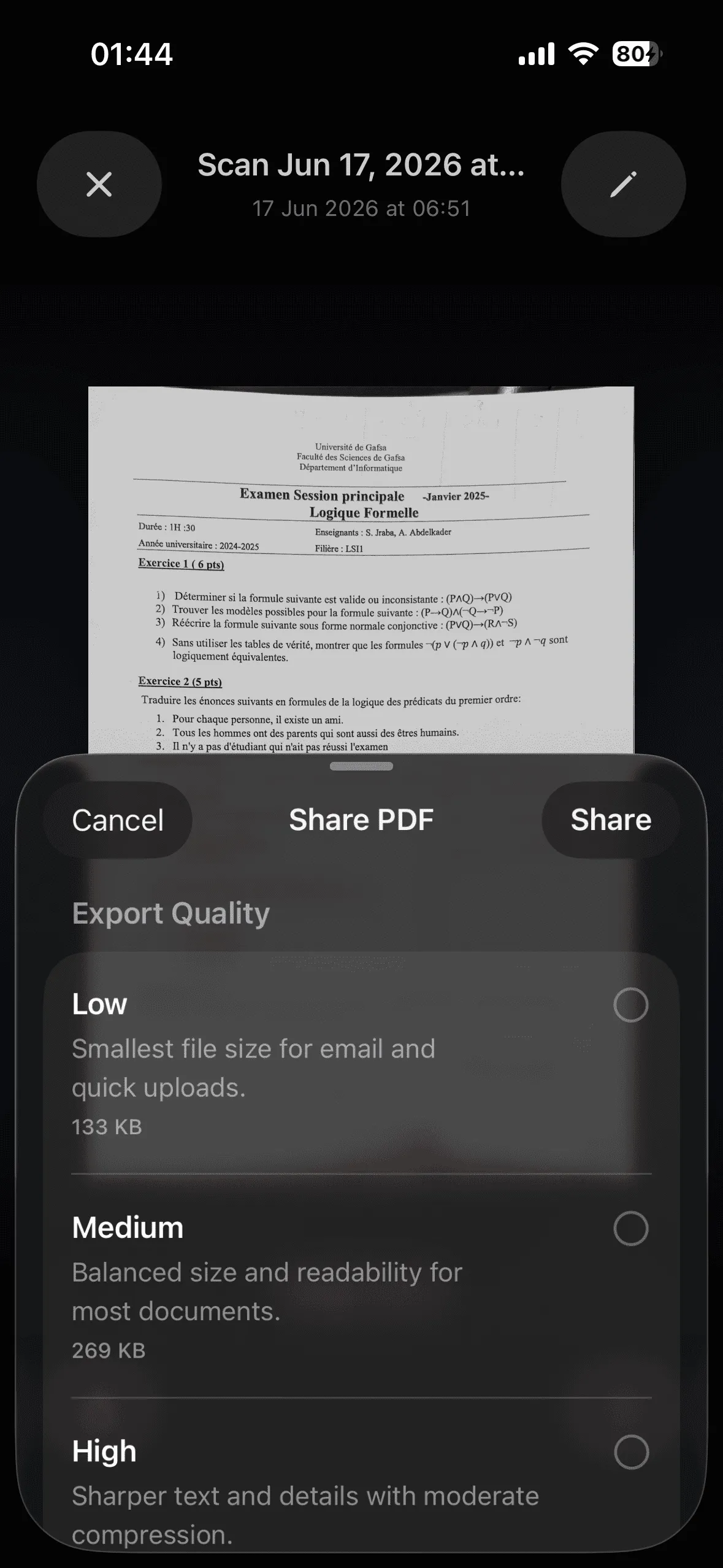
DocScanner PDF export quality options
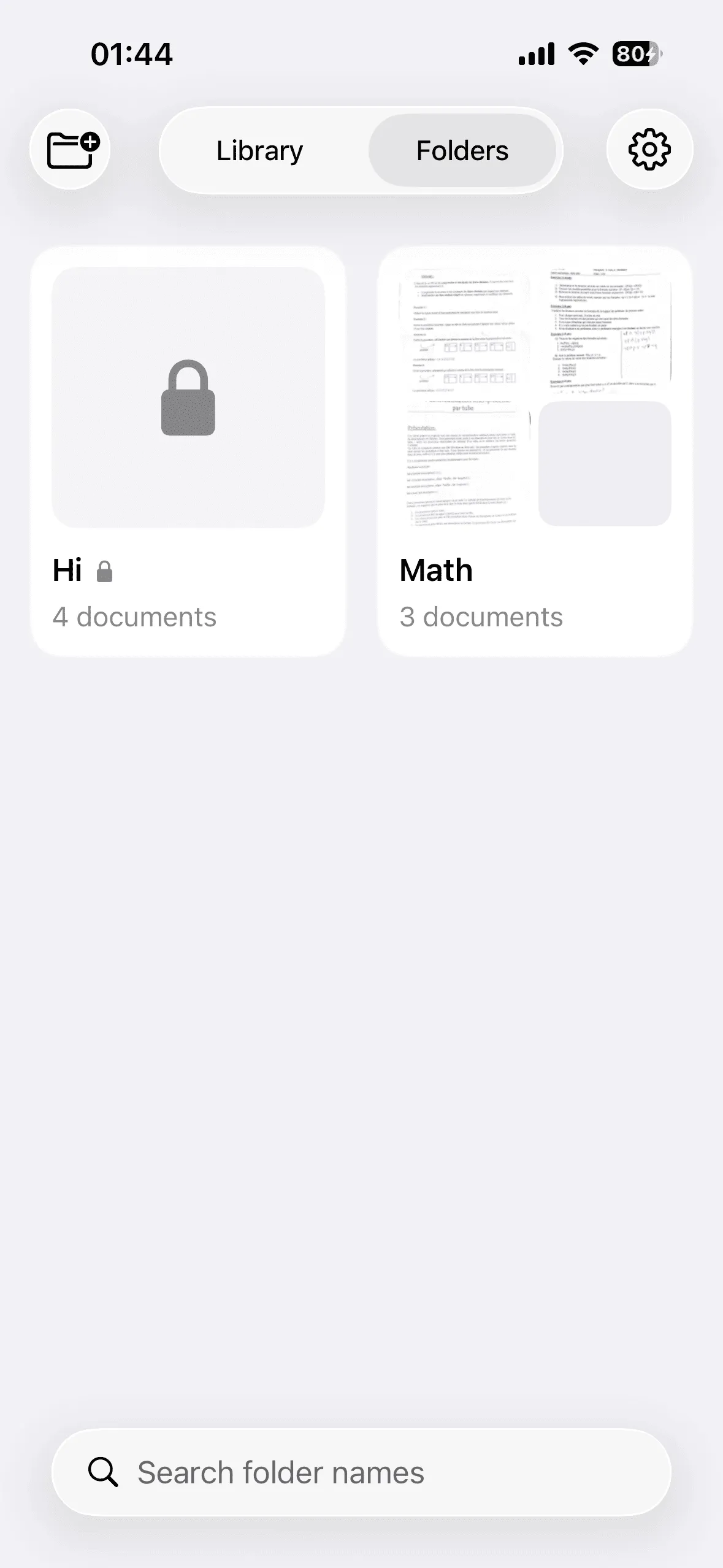
Folders and a secure folder in DocScanner
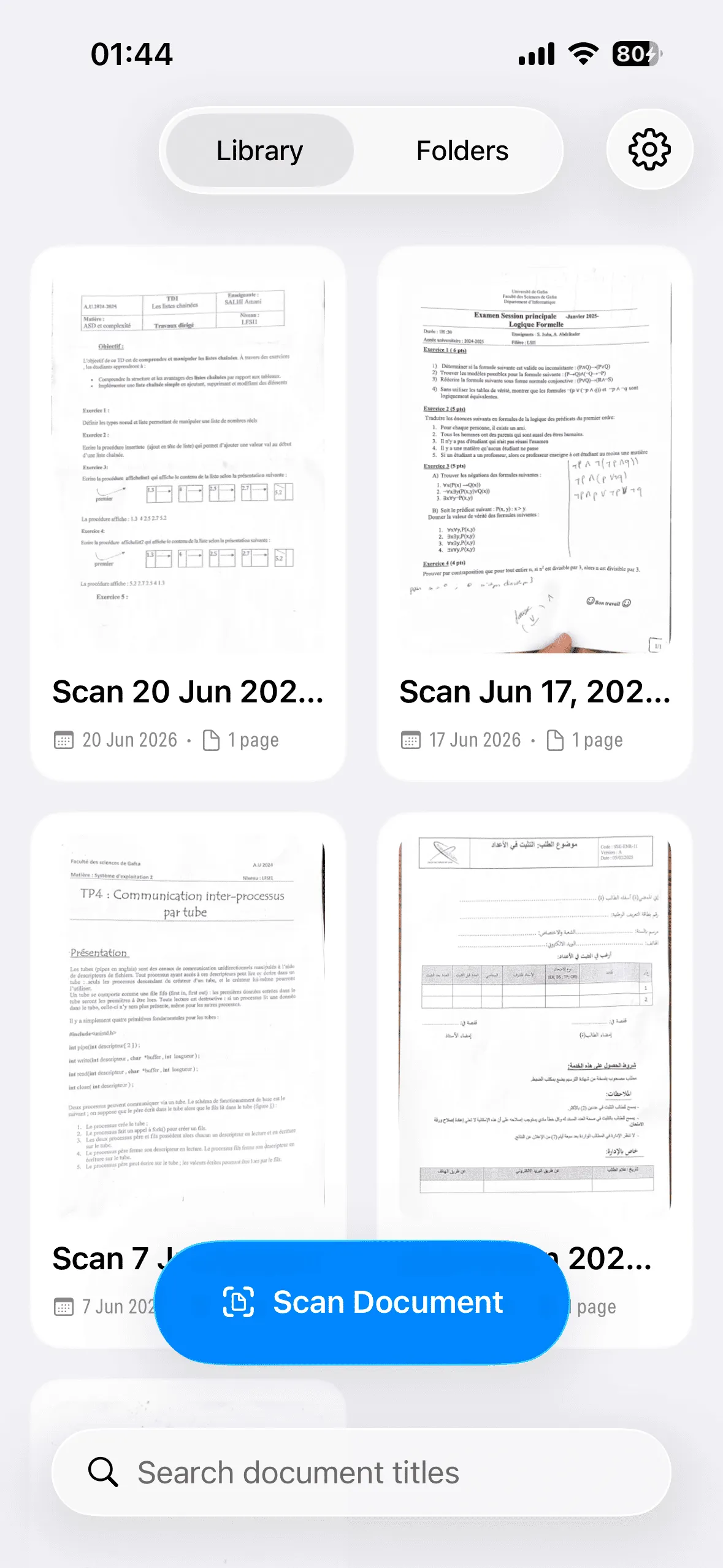
DocScanner document library
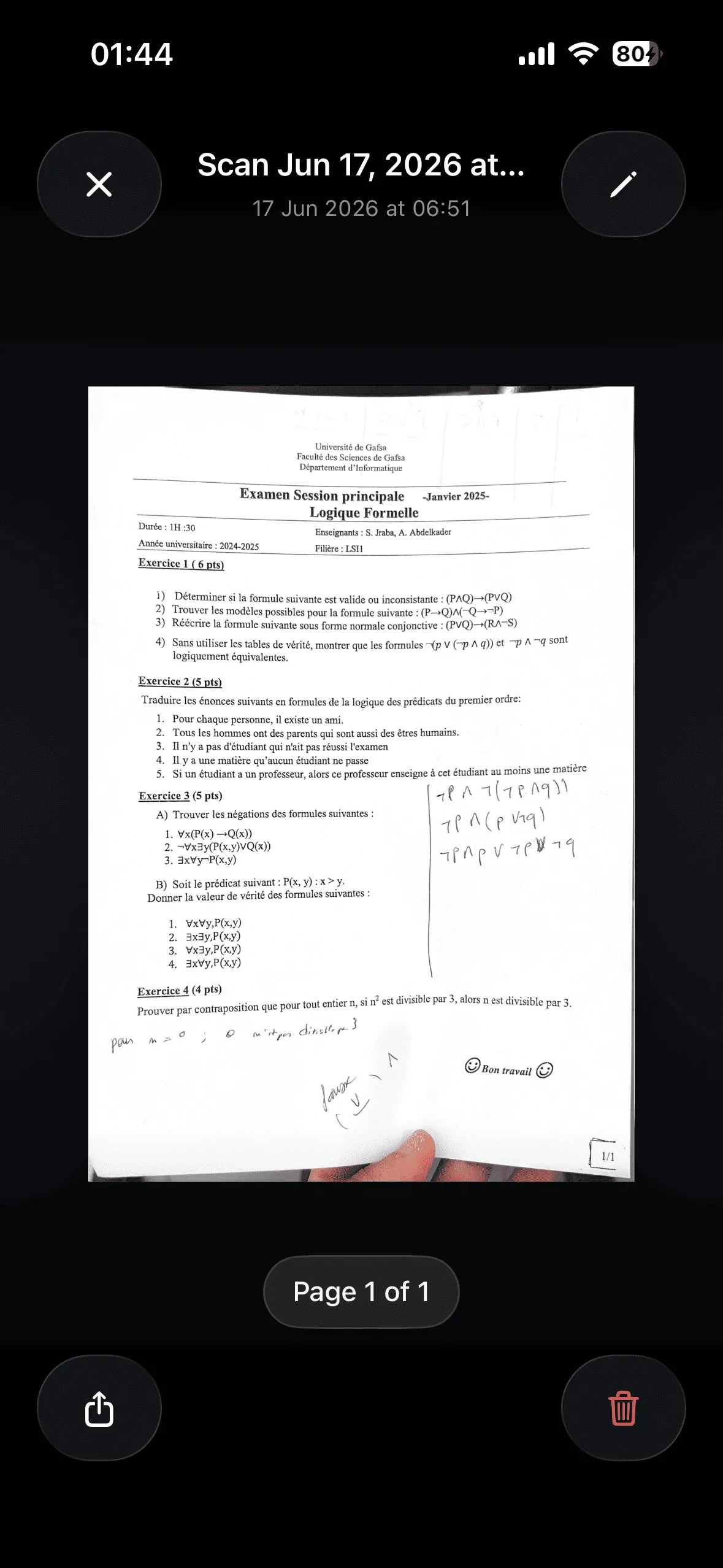
A scanned document open in DocScanner
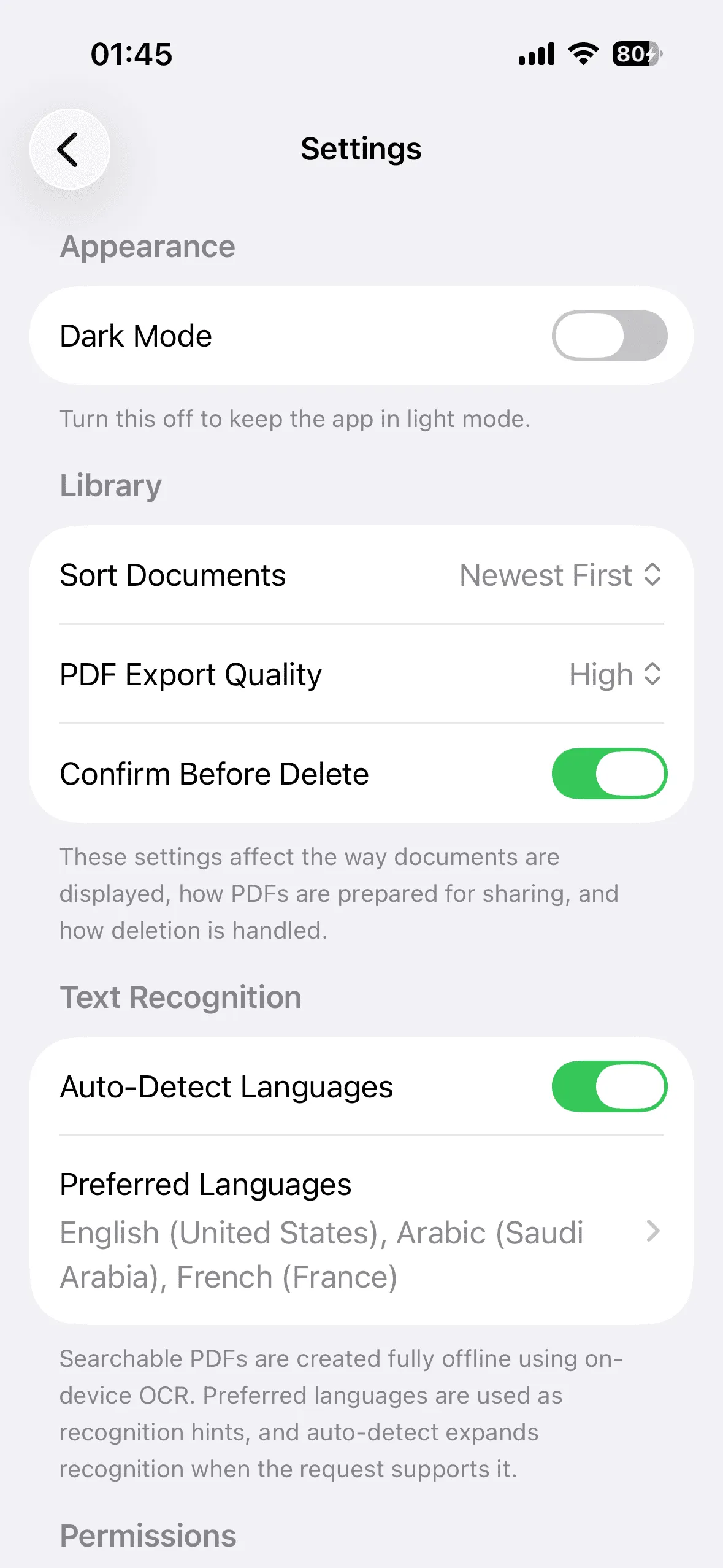
DocScanner settings and offline text recognition options

Experience

From paper to protected PDF.

Capture pages, keep the library organized, and choose exactly how each document leaves your device.
Document library with scanned pages and search

Scan paper or import photos

Capture one or more pages, or select up to 20 photos. DocScanner creates a PDF and can add searchable text with offline OCR.
Document folders including an encrypted secure folder

Organize and protect files

Group documents in folders and search by title. Pro secure folders encrypt names, PDFs, and previews on your device.

PDF sharing sheet with export quality choices

Export the copy you need

Choose a PDF quality preset before sharing. With Pro, add a password to the exported copy without changing the saved original.

Questions
What stays on your device.

Straight answers about scanning, offline OCR, encrypted folders, exports, and DocScanner Pro.
Does DocScanner upload my documents?

No. Scans, previews, OCR results, folders, and related metadata stay in the app's local storage. DocScanner does not require an account or upload documents to a server operated by the developer.

Can I create a PDF from existing photos?

Yes. You can select up to 20 images from your photo library in order and turn them into one document. Camera scanning is also available on a physical iPhone or iPad.

Does text recognition need an internet connection?

No. Optical character recognition runs on the device. It can add selectable and searchable text to supported PDFs, using your preferred languages as recognition hints.

How do secure folders work?

Secure folder names, PDFs, previews, and related metadata are encrypted on your device. iOS authorizes access with Face ID, Touch ID, or your device passcode. DocScanner never receives your biometric data.

How do password-protected exports work?

DocScanner encrypts a temporary PDF copy for sharing. The document saved in your library does not change. Send the generated password to the recipient through a separate channel.

What does DocScanner Pro include?

DocScanner Pro unlocks secure folders, password-protected PDF exports, and future Pro features. It is a one-time purchase, not a subscription, and purchases can be restored with the same Apple Account.

Where can I download DocScanner?

DocScanner: PDF Scan is available on the App Store for iPhone and iPad running iOS or iPadOS 16 or later.

DocScanner for iPhone and iPad

Your documents.
Your device.

Scan paper, recognize text offline, and keep sensitive files protected without creating an account.